Canva AI for marketing content has completely changed how businesses, bloggers, and digital marketers create visuals at scale. What once required professional designers and expensive tools can now be done in minutes using Canva’s AI-powered features. From social media posts and ad creatives to presentations and blog graphics, Canva AI helps marketers produce high-quality content faster, cheaper, and more efficiently.
In this guide, you’ll learn the best ways to use Canva AI for marketing content, practical strategies, real use cases, and tips to maximize results for your brand or clients.
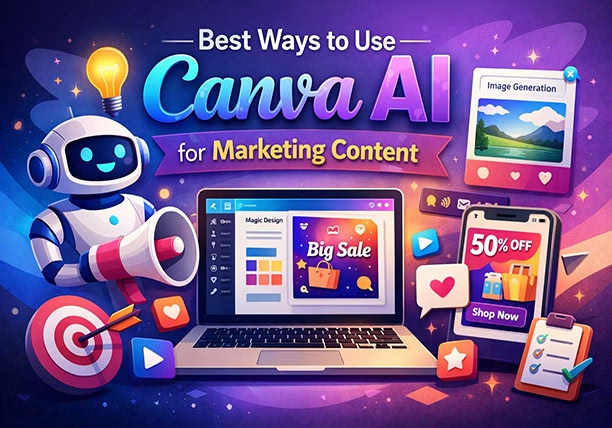
What Is Canva AI?
Canva AI refers to a suite of artificial intelligence features built into Canva that automate design, writing, image generation, and content resizing. These tools are designed for marketers who want professional-looking content without complex design skills.
Key Canva AI Features for Marketers
Magic Design
Magic Write
Text to Image
Background Remover
Brand Kit AI
Smart Resize
AI Photo Enhancer
Each of these features plays a critical role in modern digital marketing workflows.
Why Marketers Should Use Canva AI
Using Canva AI for marketing content offers several advantages:
Saves time on design and content creation
Reduces dependency on designers
Ensures brand consistency
Improves engagement through better visuals
Supports omnichannel marketing
Whether you’re a freelancer, agency, or business owner, Canva AI can scale your marketing efforts effectively.
Best Ways to Use Canva AI for Marketing Content
1. Create High-Converting Social Media Posts
Social media success depends heavily on visuals. Canva AI simplifies this process.
How to Use It:
Use Magic Design to auto-generate post layouts
Apply AI-suggested color palettes and fonts
Create Instagram, Facebook, LinkedIn, and Pinterest designs instantly
Pro Tip:
Upload your content or headline, and Canva AI will suggest multiple design styles optimized for engagement.
2. Design Marketing Ads Faster
Paid ads require constant testing and creative refreshes.
Canva AI Helps You:
Generate multiple ad creatives quickly
Resize ads automatically for different platforms
Improve visuals using AI image enhancement
Using Canva AI for marketing content, you can test more creatives without increasing your ad budget.
3. Generate Blog Graphics and Feature Images
Visuals improve SEO and user engagement.
Canva AI for Blog Marketing:
Create feature images using Text to Image
Design infographics with AI layout suggestions
Generate Pinterest-optimized blog pins
This improves dwell time and social shares, indirectly boosting rankings.
4. Use Magic Write for Marketing Copy
Canva AI is not just for visuals—it also assists with content writing.
Use Magic Write For:
Social media captions
Ad headlines
Email subject lines
Short marketing descriptions
While it won’t replace full blog writing, it’s perfect for short-form marketing copy.
5. Build Consistent Brand Identity with Brand Kit AI
Brand consistency is critical for trust and recognition.
Brand Kit AI Features:
Automatically applies brand colors and fonts
Suggests designs aligned with your brand
Keeps all marketing materials consistent
This is especially useful for agencies managing multiple clients.
6. Create Marketing Videos and Reels
Video marketing dominates engagement metrics.
Canva AI Video Tools:
Auto-generate video layouts
Add AI-powered animations
Convert static posts into animated reels
You can easily create Instagram Reels, YouTube Shorts, and ads without video editing skills.
7. Design Lead Magnets and PDFs
Lead magnets are essential for email marketing.
Canva AI Use Cases:
Ebooks
Checklists
Whitepapers
Free guides
AI helps with layout design, content spacing, and visual hierarchy to improve readability and conversions.
8. Use AI for Presentation Marketing
Presentations are widely used in sales and webinars.
Canva AI Benefits:
Auto-design slides using Magic Design
Suggests layouts based on your content
Enhances charts and visuals
This is ideal for pitch decks, webinars, and internal marketing reports.
9. Improve Images with AI Photo Enhancer
Poor image quality reduces trust.
Canva AI Image Tools:
Remove backgrounds instantly
Improve resolution
Adjust lighting and contrast
These features help marketers reuse images across platforms professionally.
10. Repurpose Content Across Channels
Content repurposing is key to scaling marketing.
Canva AI Helps You:
Resize designs automatically
Convert blog content into social posts
Turn long content into carousels
This makes Canva AI for marketing content a powerful productivity tool.
SEO Benefits of Using Canva AI
Using Canva AI indirectly improves SEO by:
Increasing engagement metrics
Reducing bounce rates
Improving content shareability
Enhancing visual search appeal
High-quality visuals support better user experience, which search engines favor.
Best Practices for Using Canva AI in Marketing
-Don’t Rely Fully on AI
Always review and customize AI-generated content.
-Follow Brand Guidelines
Use Brand Kit to maintain consistency.
– Optimize Visuals for SEO
Use descriptive file names
Compress images
Add alt text
Common Mistakes to Avoid
Overusing AI templates without customization
Ignoring brand voice
Using low-contrast text
Not optimizing for platform dimensions
Avoiding these ensures your Canva AI for marketing content looks professional and converts better.
Outbound Resource
For official updates and features, refer to Canva’s documentation:
👉 https://www.canva.com/features/ai-tools/
Final Thoughts
Canva AI for marketing content is no longer optional—it’s a competitive advantage. From social media and ads to blogs and presentations, Canva AI empowers marketers to create faster, smarter, and better content without heavy resources.
By using the strategies in this guide, you can:
Save time
Increase engagement
Improve conversions
Scale your marketing efficiently
If you’re serious about growing your digital presence, mastering Canva AI should be part of your core marketing strategy.